 FluxBar
Free menu bar app for macOS
Set a bedtime. Your screen follows it.
FluxBar slowly warms your Mac's screen in the hours before bed, keeps it warm through the night, and brings daylight back right before you wake up.
Free · macOS 14 or later · Apple silicon and Intel
A live demo. Drag through the day, or change the bedtime in the popover.
The real app
A day in 11 seconds
4 PM to 8:30 AM with the default schedule: the wind-down starts at 8:30, bedtime is 11:30, and daylight is back by 7:30.
Screen recordings can't capture display color changes, so the warm tint is added to each frame with the same math FluxBar applies to your screen.
How it works
Set it once
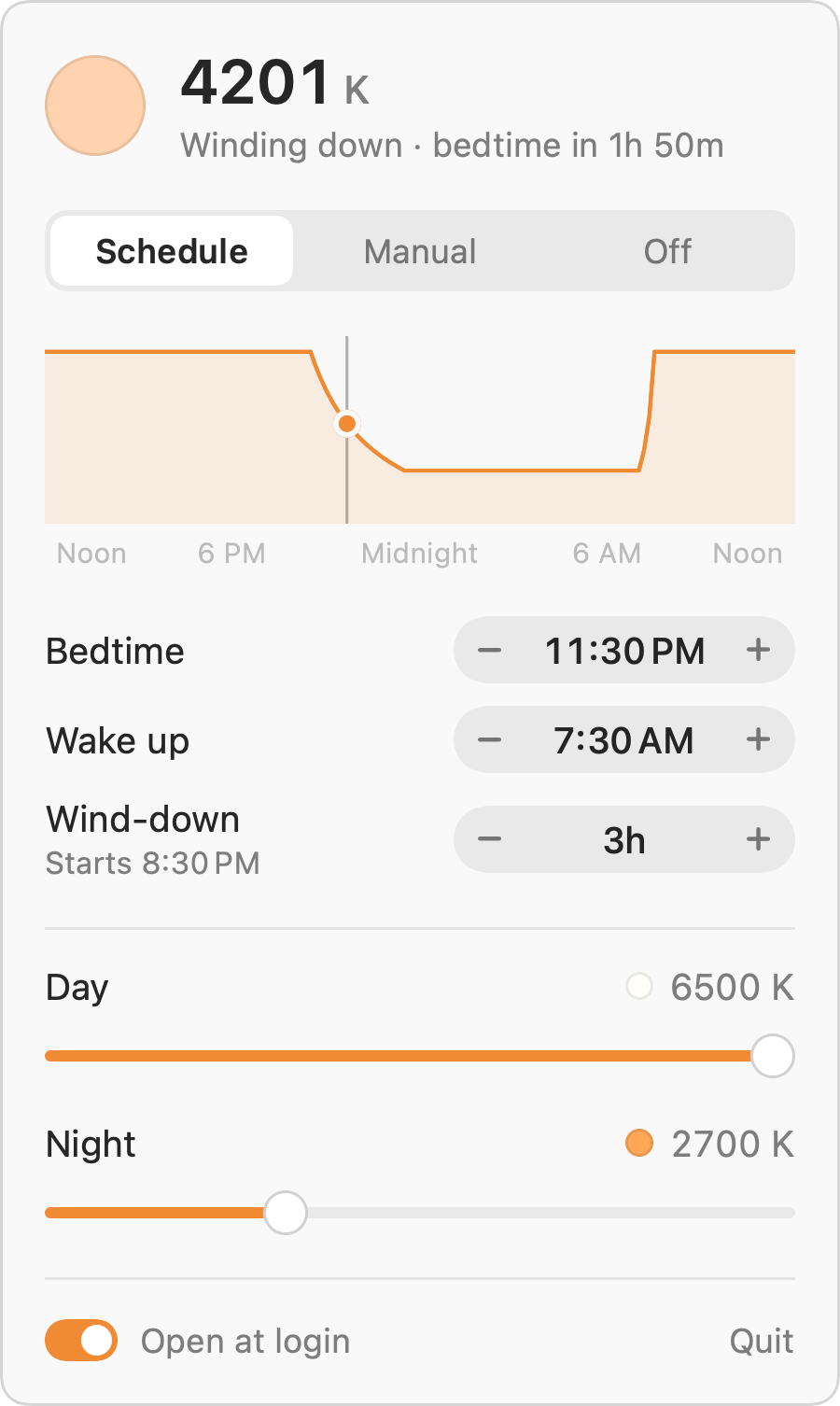
You pick when you go to bed and when you get up. FluxBar plans the rest of the day around those two times.
Your bedtime, not sunset
The schedule follows the bedtime and wake-up time you set, not the sun. No location needed.
A slow wind-down
Warming starts 30 minutes to 8 hours before bed (3 hours by default) and reaches your night color right at bedtime.
Your colors
Pick the day and night color temperature. While you hold a slider, the whole screen previews that color.
Daylight by morning
The screen goes back to daylight over the 30 minutes before your wake-up time.
Manual or off
Hold one fixed color, or switch it off when you need true colors for photos or design work.
Out of the way
It lives in the menu bar, shows the current color temperature there, and starts at login.
- 344 KBThe whole download. Native Swift for Apple silicon and Intel.
- OfflineNo account, no tracking, never connects to the internet
- FreeNo trial, no ads, no upgrade
The details
An even fade
A straight fade in Kelvin barely changes for most of the evening, then turns orange all at once near bedtime. FluxBar fades in mireds (one million divided by Kelvin), so every step looks about the same size.
Light and dark
Matches your Mac
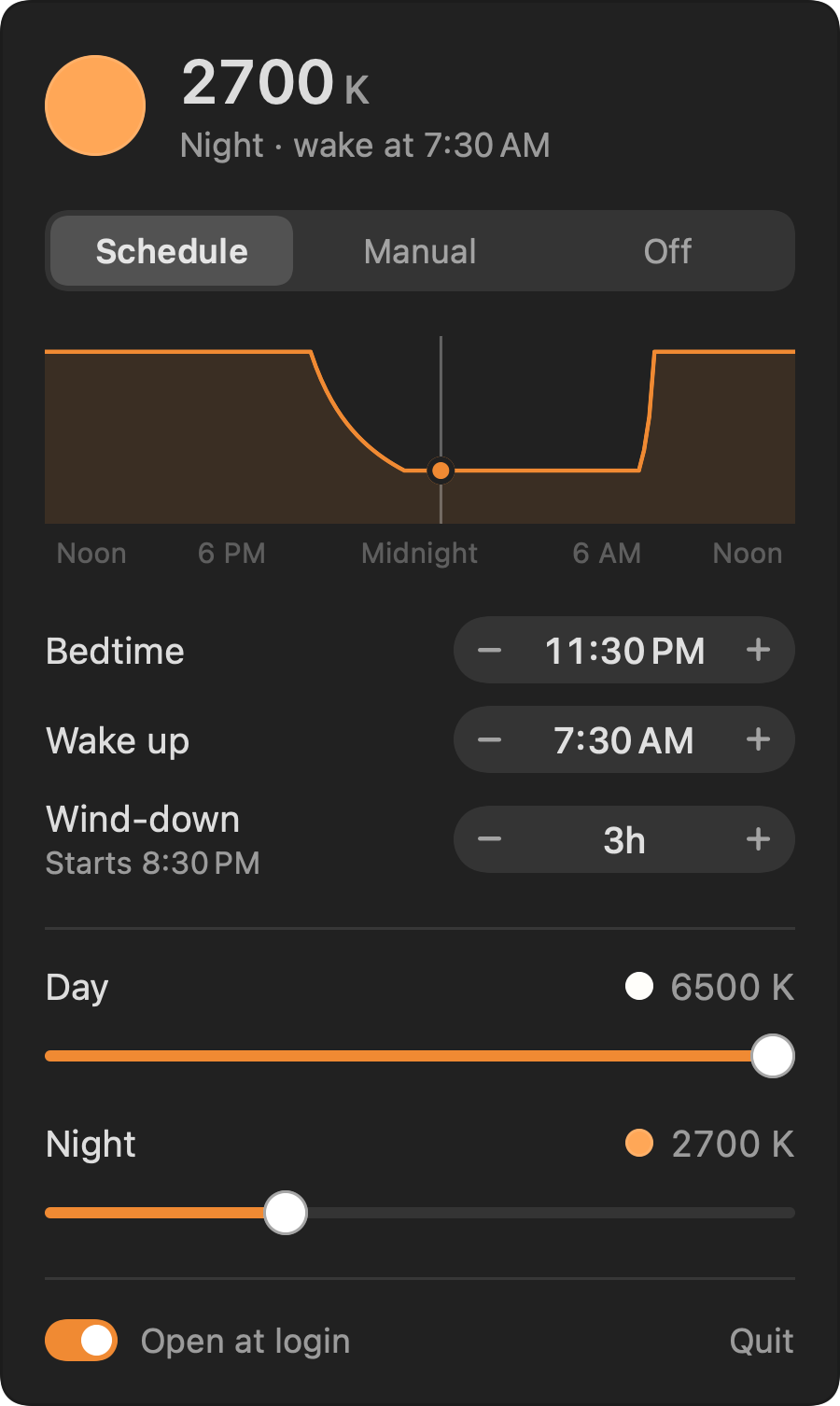
The popover follows your Mac's light or dark appearance.
The menu bar icon shows the color temperature in hundreds of Kelvin, so 27 means 2700 K.
Download
Get FluxBar
Free for macOS 14 Sonoma or later, on Apple silicon and Intel Macs.
FluxBar-2.0.0.zip · 344 KBSHA-256 867e3c0a12e586b534058c0bd613cde76f73a6a232ced252a3507097b8b02247
- Move it to ApplicationsUnzip the download and drag FluxBar into your Applications folder.
- Open it oncemacOS will say it can't check FluxBar for malware, because the app isn't signed with an Apple Developer ID. Click Done.
- Allow itOpen System Settings, go to Privacy & Security, scroll down and click Open Anyway. After that it opens normally.
FluxBar starts at login and sits in your menu bar. If Night Shift is on, turn it off so the two don't stack.